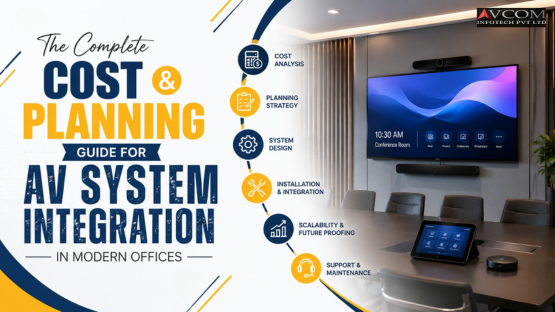
Planning an AV upgrade for your office is exciting until you realise how many decisions are involved and how quickly costs can escalate without the right guidance.
From small huddle rooms to large conference halls, every workspace has different audio-visual needs. And without a clear plan, businesses often either overspend on features they don't use or underspend and end up with systems that frustrate users from day one.
This guide is designed to help business owners, IT managers, and facilities teams understand exactly what goes into office AV system integration services — what it costs, what drives those costs, and how to plan a project that delivers real value over the long term. Whether you're fitting out a new office or upgrading an existing one, this is your starting point.
Many organisations treat AV integration as a last-minute add-on during an office fit-out. Equipment gets ordered without a proper design, contractors install systems that don't talk to each other, and the result is a room full of expensive technology that nobody wants to use.
Real-world consequences include:
The shift to hybrid work has fundamentally changed what offices need from their AV infrastructure. It's no longer enough to have a display and a speakerphone. Today's corporate environments demand unified communications, intelligent camera systems, wireless collaboration tools, and seamlessly integrated room control — all working together, reliably, every single day.
Getting the planning and budgeting right at the start saves money, reduces frustration, and ensures your office environment actually supports the way your teams work.
AV system integration is the process of designing, supplying, installing, and configuring multiple audio-visual and communication technologies so they function as a single, unified experience within a workspace.
It's not simply about buying a screen and hanging it on a wall. A proper AV installation for commercial office environments involves:
When all of these elements are properly planned and integrated by a qualified team, the result is a workspace that supports communication, collaboration, and productivity without friction.
Begin by reviewing what technology you already have. Identify what's working, what isn't, and what can be retained or repurposed. This prevents unnecessary expenditure and helps the integrator design around your existing infrastructure.
Not every room has the same requirements. List every space that needs AV capability — boardrooms, meeting rooms, huddle spaces, training rooms, reception areas, open-plan areas — and define how each one will be used. A training room needs very different technology from a two-person huddle booth.
Will your teams use Microsoft Teams, Zoom, Google Meet, Cisco Webex — or a combination? Your choice of UC platform significantly influences the hardware and software selection. Native-certified devices for your chosen platform will always perform better than generic alternatives.
Before engaging vendors, establish a realistic budget range based on the number of spaces and the complexity of each. This prevents scope creep and helps you prioritise where to invest more and where to keep things simple.
The earlier you involve a professional AV integration company in the process, the better. Integrators who are engaged during the office design phase can influence cable routing, power provision, structural requirements, and acoustic considerations — all of which are far more expensive to address after construction is complete.
Any reputable integration company should provide a full system design before installation begins. This includes equipment specifications, signal flow diagrams, room layout drawings, and network requirements. Never approve a project that doesn't come with detailed design documentation.
The best system in the world is useless if staff don't know how to use it. Ensure the project scope includes formal training sessions for end-users and IT administrators, along with clear, accessible user guides.
Build post-installation support into your planning from the outset. Understand what is covered under warranty, what a maintenance agreement includes, and what the expected response times are for critical faults.
Larger rooms require more displays, more microphone coverage, more speaker zones, and more complex control systems. A 30-person boardroom will cost significantly more to outfit than a 6-person meeting room — not just in hardware, but in design, installation labour, and configuration time.
The display is often the most visible cost in any AV project. Options range from commercial-grade LCD displays to interactive flat panels, laser projectors, and direct-view LED walls. Each has a different price point, application suitability, and lifespan. An experienced integrator will guide you to the right technology for each space rather than defaulting to the most expensive option.
Audio is frequently underfunded and over-compromised. Professional microphone arrays, ceiling speaker systems, acoustic echo cancellation, and noise suppression technology all add cost — but they also have the single biggest impact on how useful a meeting room actually feels. Budget accordingly.
Simple rooms may only need a single HDMI input and a power button. Complex executive boardrooms or multi-use training rooms may require full-featured control systems with room scheduling panels, automated lighting, motorised shades, and multi-source routing. Control system complexity is one of the biggest variables in AV project budgets.
Organisations fitting out multiple rooms simultaneously often benefit from economies of scale — consistent hardware across spaces reduces both procurement costs and ongoing support complexity. An end-to-end AV integration company can advise on standardisation strategies that reduce total cost of ownership across a multi-room rollout.
If the building's cable infrastructure needs upgrading, if new power circuits are required, or if structural modifications are needed for screen mounting, these costs add up quickly. Engaging an integrator early in the construction process minimises the need for expensive remedial work.
Choosing a vendor who adheres to recognised industry standards is critical — especially for commercial environments where system reliability is non-negotiable.
Key standards to look for include:
For organisations looking to understand what a well-structured AV collaboration environment looks like across office spaces, exploring enterprise audio visual collaboration solutions for offices provides a clear picture of what's achievable.
All-in-one video bars (such as those from Poly, Logitech, or Yealink) offer excellent value for small to medium meeting rooms. Larger spaces may require separate PTZ cameras, microphone arrays, and dedicated compute units. The choice significantly impacts both upfront cost and long-term performance.
Crestron, Extron, AMX, and Q-SYS are the dominant platforms for enterprise room control. These systems allow single-touch meeting start, automated source switching, and integration with lighting and HVAC. They add cost but deliver measurable improvements in user adoption and meeting efficiency.
Products like Barco ClickShare, Mersive Solstice, and Crestron AirMedia eliminate the cable clutter and connection frustrations that plague many meeting rooms. For high-traffic rooms, these tools are increasingly considered essential rather than optional.
Often overlooked in budget planning, acoustic treatment — wall panels, ceiling baffles, carpet, and soft furnishings — can dramatically improve the audio performance of any room. Spending on treatment is almost always more cost-effective than upgrading microphone technology to compensate for a poorly treated space.
AVCOM is one of India's most experienced providers of audio visual integration for enterprise offices, with a proven track record spanning corporate headquarters, government institutions, educational campuses, and healthcare environments.
What makes AVCOM a trusted integration partner:
To learn more about AVCOM's full range of integrated AV capabilities for commercial environments, the AVCOM India corporate AV services overview is a useful starting point.
A fast-growing technology company moved into a new 8,000 sq ft office and needed to outfit 12 meeting rooms with consistent, easy-to-use AV systems. By engaging an integration partner early in the fit-out, the company standardised on a single control platform and UC system across all rooms. This reduced procurement costs, simplified IT management, and meant all staff could walk into any room and start a meeting immediately without learning a new interface.
A financial services organisation had boardrooms and meeting rooms with aging projector-based systems. Multiple vendors had installed different equipment over the years, resulting in a patchwork of incompatible technologies. A complete audit and redesign by a single end-to-end AV integration company replaced everything with a unified, documented system — improving reliability, reducing IT support calls, and delivering a professional environment that matched the brand's reputation.
A logistics company with offices across five cities needed a consistent AV standard across all locations. Rather than investing everything at once, they worked with their integration partner to develop a phased rollout plan — standardising technology specifications, training a core IT team, and rolling out city by city over 18 months. The phased approach allowed them to manage capital expenditure while building internal capability progressively.
It varies significantly depending on room size, technology level, and UC platform requirements. A simple small meeting room can be outfitted professionally for a moderate investment, while a fully featured boardroom with advanced display technology and room control will require a substantially higher budget. Always request a detailed, itemised proposal.
A single room installation may take one to three days. A multi-room office fit-out typically runs two to eight weeks, depending on the number of spaces, infrastructure complexity, and whether civil works are required.
Ideally, before. An AV integrator involved during the design phase can influence structural, electrical, and acoustic decisions that significantly reduce installation cost and improve system performance.
A consumer retailer sells products. A commercial AV integrator designs, engineers, installs, configures, and supports entire systems. For office environments, professional integration is essential — consumer-grade equipment and ad-hoc installation will not deliver the reliability or performance a business environment demands.
Specify hardware that is natively certified for your chosen UC platform. Your integration partner should be familiar with the certification requirements of each platform and recommend appropriately certified devices.
For high-traffic meeting rooms, yes. Wireless presentation tools eliminate a significant source of user frustration and meeting delays. They also reduce physical wear on display ports and cables over time.
At a minimum: defined response times for critical faults, preventive maintenance visits, software and firmware update management, and a clear escalation path. Ask for a sample SLA before signing.
You can reach the team directly through their AV integration project enquiry and consultation page to start a conversation about your specific requirements.
Office AV integration is one of the most visible and frequently used investments a business makes in its physical environment. Get it right, and it quietly supports every meeting, every client interaction, and every collaborative session your team has. Get it wrong, and it becomes a daily source of frustration.
The key is planning — starting early, engaging the right expertise, setting realistic budgets, and thinking beyond installation to long-term reliability and support.
If you're in the early stages of planning a new office, upgrading an existing space, or simply want to understand what a professional AV integration project involves, the AVCOM audio visual collaboration solutions for enterprise page offers a valuable perspective — or reach out to the AVCOM team directly for a no-obligation consultation.
Follow AVCOM for the latest insights on corporate AV technology, workspace innovation, and integration best practices on Facebook, Instagram, and LinkedIn.