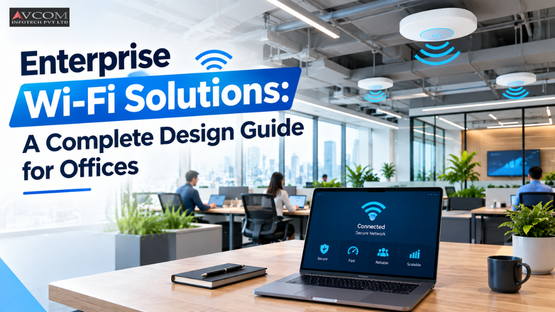
A single consumer router drops connections once fifty people start video conferencing. Enterprise Wi-Fi solutions exist to solve exactly this problem, providing scalable, secure, and centralized wireless networks designed specifically for large office environments. By utilizing advanced access points, controllers, and Wi-Fi 6 technology, IT teams can plan seamless access point coverage to support high user densities and critical business applications.
Enterprise Wi-Fi solutions are centralized wireless networks built to handle hundreds of simultaneous connections, heavy bandwidth loads, and strict security protocols without buckling. Unlike consumer setups, these systems rely on dedicated hardware and controllers to manage traffic efficiently across large office spaces.
A reliable wireless network is the heartbeat of almost every modern business. From supporting laptops and IoT devices to ensuring data moves securely, the right infrastructure lets your team connect, collaborate, and serve customers with confidence. According to Spectrum Enterprise, business Wi-Fi is quickly replacing wired connections as the preferred method for accessing the internet, forcing IT teams to accommodate a growing number of personal devices and increasing bandwidth needs.
Consumer wireless networks rely on a single router to broadcast a signal. It works fine in a small apartment. But put thirty employees in an open-plan office, and that router chokes on the traffic.
Enterprise setups distribute the load. They use wireless access points placed strategically around the building, all managed by a central wireless LAN controller. If one AP fails, the controller reroutes traffic to nearby units. This centralized management is what allows businesses to scale their networks without ripping out the entire infrastructure.
When you invest in enterprise Wi-Fi solutions, you are buying control. The hardware includes features that consumer models simply lack.
Planning access point coverage requires a predictive site survey, careful AP placement, and strict channel management to eliminate interference. You cannot simply guess where to put hardware. You have to map the physical space and account for every wall, desk, and microwave that might disrupt the signal.
If you want to know how to plan wireless access point coverage for offices, start with the floor plan. According to MTA Solutions, strong signals with minimal dead zones require support for new standards like Wi-Fi 6 or even Wi-Fi 6E for higher throughput and lower latency. Guessing leads to dead spots and dropped connections.
A predictive site survey uses software to model your office floor plan before you install a single cable. You input building materials, ceiling heights, and expected user density. The software then generates a heat map showing exactly where signal strength will peak and where it will fade.
This step is non-negotiable. According to Spectrum Enterprise, an end-to-end service must include an RF survey and design phase before installation begins. Skipping this step means you are buying hardware blindly and hoping it works.
Even with perfect placement, interference will destroy your network speed. Microwaves, Bluetooth devices, and neighboring networks all fight for the same 2.4GHz and 5GHz spectrum space.
To manage this, IT teams adjust channel widths and power levels on individual access points. By shrinking the channel width to 20MHz in dense areas, you can fit more non-overlapping channels into the space. You also lower the transmission power so an AP in the accounting department does not bleed into the marketing team's airspace. This precise tuning prevents devices from constantly fighting for airspace.
The best enterprise Wi-Fi design for large offices uses a high-density deployment strategy with a centralized controller to balance performance and scalability. This means placing access points closer together and lowering their transmit power to create smaller, more manageable coverage cells.
In a large office, you cannot rely on a few powerful access points blasting signal through concrete. You need a cellular approach. Think of your office floor as a grid. Each cell in that grid has an access point covering a small, specific area. This design supports more devices per square foot because the airtime contention is isolated to a small group of users rather than the entire floor.
High-density deployment flips the traditional model on its head. Instead of three powerful APs covering a floor, you install eight lower-power APs.
This approach works because it limits the number of devices connecting to a single radio. According to Auvik, managing an enterprise WLAN means understanding that Wi-Fi is a shared medium. If fifty people connect to one AP, they share that bandwidth. If you split them across four APs, each person gets more usable throughput.
When designing the floor plan, you must plan for the future. A tech startup planning to expand its workforce by 50% over the next two years needs a scalable solution.
You balance performance and scalability by leaving headroom in your controller capacity. Buy a wireless LAN controller that supports twice your current access point count. Run spare Ethernet cables to ceiling drops during the initial installation. When the company grows, you simply mount a new AP, plug it in, and the controller provisions it automatically.
You should choose Wi-Fi 6 for business networks because it handles high-density environments better than Wi-Fi 5, offering faster speeds, lower latency, and improved capacity through technologies like OFDMA and BSS coloring. If your office runs heavy video conferencing or uses cloud-based tools, Wi-Fi 6 is the clear winner.
The debate over Wi-Fi 6 vs Wi-Fi 5 for business networks comes down to how the technology handles traffic. A recent study shows that of the 13.94 million enterprise Access Points shipped in 2022, 87% use either Wi-Fi 5 or Wi-Fi 6 protocols, with Wi-Fi 6E becoming the preferred option by 2026. The shift is already happening.
Wi-Fi 6 changes how data moves through the air. It uses Orthogonal Frequency-Division Multiple Access (OFDMA) to split a single channel into multiple sub-channels. Instead of one AP talking to one device at a time, a Wi-Fi 6 AP can talk to eight devices simultaneously on the same channel.
This is why latency drops. According to Antamedia, self-hosted enterprise Wi-Fi platforms with low latency, usually 5-20 times lower than cloud providers, ensure great service for end-users. Wi-Fi 6 hardware complements this by reducing the wait time for a device to send its data packet.
Upgrading makes financial sense when your current network causes operational friction. If your helpdesk tickets are dominated by complaints about dropped connections during video calls, you are losing money in lost productivity.
Do not upgrade just to have the newest hardware. Upgrade when your business embraces cloud-based tools and your workforce density increases. If you are moving to a new office or renovating an existing one, rip out the old infrastructure and start fresh with Wi-Fi 6. The labor cost of upgrading later far exceeds the hardware cost difference today.
You ensure security within enterprise Wi-Fi solutions by implementing WPA3 encryption, segmenting the network to isolate traffic, and actively monitoring for threats. Security cannot be an afterthought, as Wi-Fi is often one of the weakest links in IT infrastructure.
A secure network starts with strict access controls. You must know exactly who is connecting and what they are accessing. According to WZC Networking, inadequate WiFi infrastructure can lead to data breaches, connectivity issues, and operational disruptions.
WPA3 replaces the outdated WPA2 protocol with a much stronger encryption standard. It protects against brute-force dictionary attacks that plague older networks. If a hacker captures the initial handshake between a device and your access point, WPA3 makes it nearly impossible to crack the password offline.
Network segmentation adds another layer. You do not put your guest devices on the same subnet as your accounting servers. By creating virtual LANs (VLANs), you ensure that a compromised phone in the lobby cannot ping your internal databases.
Guest networks must be completely isolated from your corporate environment. A guest should only get internet access, nothing more.
AVCOM infotech streamlines office wireless deployment by managing the entire lifecycle of your network, from the initial predictive site survey to 24/7 hardware monitoring. We do not just sell hardware; we design, install, and maintain the infrastructure so your internal IT team can focus on business initiatives.
Deploying enterprise Wi-Fi solutions across a large office is a complex task. According to Spectrum Enterprise, offloading critical and routine tasks to wireless experts ensures seamless access while allowing IT staff to stay focused on moving the business forward. AVCOM infotech acts as that expert partner. We preconfigure access points and ship them ready for plug-and-play installation, cutting down on deployment time and eliminating configuration errors.
The most common pitfalls when scaling office Wi-Fi networks are ignoring physical building materials and underestimating bandwidth requirements for modern applications. Both mistakes lead to dead zones, dropped connections, and frustrated employees who cannot do their jobs.
Scaling a network is not just adding more access points. It requires understanding the physical environment and the specific needs of the users within it.
Drywall barely blocks a Wi-Fi signal. Concrete and rebar destroy it. Metal ductwork in the ceiling acts like a Faraday cage, trapping signals in small pockets.
When you scale a network, you must account for these physical realities. A predictive site survey helps, but you still need a physical walk-through. If you install an AP on a concrete pillar, the signal will not reach the other side of the pillar. You have to place the hardware where the users sit, not where it looks neat on a ceiling grid.
Modern offices run on video. Zoom calls, Microsoft Teams meetings, and cloud-based VoIP phones consume massive amounts of upstream bandwidth.
If you design a network for 2015 usage patterns, it will fail in 2026. According to MTA Solutions, Quality of Service (QoS) must prioritize video calls, VoIP, and real-time data to avoid choppy meetings or poor app performance. You have to configure your wireless LAN controller to give voice and video traffic priority over someone downloading a large operating system update in the background.
| Feature | Wi-Fi 5 | Wi-Fi 6 |
|---|---|---|
| Target Environment | Standard office density | High-density enterprise offices |
| Data Transmission | Single-device channel access | OFDMA splits channels for simultaneous devices |
| Latency | Higher latency under load | Significantly lower latency for video calls |
| Best Use Case | Basic browsing and light tasks | Heavy video conferencing and cloud tools |
Enterprise Wi-Fi uses centralized controllers to manage multiple access points, allowing for seamless roaming, advanced security protocols, and high user density support that consumer routers cannot handle.
The exact number depends on a predictive site survey, but a general rule is one AP for every 2,000 to 3,000 square feet, adjusted for user density and building materials.
Yes. Wi-Fi 6 handles high-density environments much better than Wi-Fi 5 by using OFDMA to talk to multiple devices simultaneously, drastically reducing latency for video calls.
You should audit your wireless network annually, or whenever you significantly change your office layout, add new walls, or increase your workforce by more than 20%.
A wireless site survey maps signal strength and interference across your office floor plan, ensuring you place access points exactly where they are needed to eliminate dead zones.