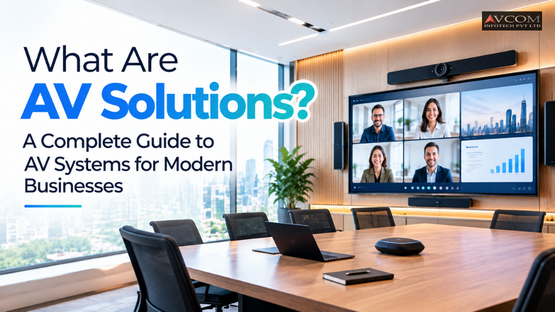
A blue screen with squiggly lines right before a critical client pitch. That is the exact moment most companies realize they need better meeting room technology. AV solutions encompass the hardware, software, and integration services that enable clear audio and visual communication within modern business environments. Companies rely on these integrated systems to enhance hybrid collaboration, deliver impactful presentations, and streamline meeting room technology for better operational efficiency.
If you are still stringing together consumer webcams and desk microphones for corporate meetings, you are losing time and credibility. Here is a practical breakdown of what AV solutions actually do, how they work, and how to deploy them.
An AV solution is a fully integrated network of displays, audio equipment, control interfaces, and conferencing software designed to make business communication reliable. Instead of standalone gadgets, a true solution treats every microphone, speaker, and screen as coordinated parts of a single room system. When someone walks in and presses a single button to start a meeting, every component responds instantly.
The complexity ranges from a simple wall-mounted display with a soundbar to massive corporate boardroom systems. According to AV Solutions, a Baton Rouge-based integration firm, their team alone has managed over 300 AV-controlled rooms and 700 system deployments. That scale shows how businesses are moving away from ad-hoc setups toward standardized, professionally engineered environments.
Building a functional room requires five core elements. You need input sources like laptops and document cameras to generate the content. You need processing equipment, such as matrix switchers, to route that content to the right place. Display systems like 4K panels or laser projectors show the video. Audio components, including ceiling arrays and acoustic treatments, handle the sound. Finally, control systems tie the hardware together so users do not need a technician to start a call.
Hardware is the physical infrastructure. Software is the brain running the show. In modern deployments, software often matters more than the hardware itself. A top-tier camera means nothing if your video conferencing platform cannot process the high-resolution stream without lag. AVCOM infotech prioritizes software compatibility first, ensuring that platforms like Zoom or Microsoft Teams integrate cleanly with the physical room hardware before finalizing any equipment list.
For a beginner, an AV system is best explained as a simple pipeline: content goes in, gets processed, and comes out as sound and video on the other end. You speak into a microphone, a digital signal processor cleans up the audio noise, and a speaker plays it back across the room. The exact same flow applies to video.
Will Monroe from the LSU Law Center noted that a good AV provider fills in a lot of details, anticipating and addressing problems before they occur. That anticipation is what separates a professional system from a DIY setup. The integrator builds the pipeline to handle failures gracefully, routing signals around dead ports or automatically adjusting microphone gain when the room gets loud.
Understanding signal flow means tracking data from point A to point B. A presenter connects a laptop via HDMI. That signal travels through a cable to a switcher, which translates the format if necessary. The switcher then sends the video to a display panel and the audio to a digital signal processor. The processor applies equalization and feedback suppression before sending the final audio to the amplifiers and speakers. Every step requires specific cabling and bandwidth considerations to prevent dropped frames or audio lag.
A control system is the user interface for the room. This usually takes the form of a touch panel on the desk or a wall-mounted button pad. When a user taps "Start Meeting," the control system sends a command to lower the window shades, turn on the display, boot up the video conferencing codec, and unmute the microphones. Without a centralized control system, employees would have to manage five different remotes just to begin a presentation.
Modern workplaces run on hybrid schedules, meaning half your meeting participants sit in the room while the other half stare at them through a laptop screen. Businesses need audio visual systems to establish meeting equity, ensuring remote participants can hear, see, and interrupt just as naturally as someone sitting at the conference table. Without proper technology, remote workers become passive observers rather than active contributors.
Poor meeting room technology actively damages productivity. According to AV Solutions, companies seek integrated systems specifically to reduce video conference call issues in-room due to poor audio and video. When executives spend the first ten minutes of every call asking "Can you hear me now?", that is a direct hit to operational efficiency.
Hybrid collaboration requires more than a good webcam. You need ceiling microphones with beamforming technology to track who is speaking. You need auto-framing cameras that zoom in on the person talking rather than showing a static, wide-angle shot of empty chairs. These specific AV features give remote employees a seat at the table, allowing them to read body language and jump into conversations without asking someone in the room to pass them a microphone.
A pixelated, washed-out display undermines a polished pitch. High-quality display systems and proper acoustic treatments ensure your data speaks louder than your equipment. When Kevin Boeta from Motiva Enterprises reviewed their new building's deployment, he stated that the systems surpassed their expectations for quality, ease of use, and functionality. Client presentations demand reliability. You need a screen bright enough to combat ambient window light and speakers clear enough to reach the back row without distortion.
Offices typically deploy three distinct tiers of AV solutions based on room size and function. Large boardrooms get fully integrated video conferencing systems with multi-screen displays and ceiling arrays. Mid-sized rooms use all-in-one conferencing bars. Small huddle spaces rely on simple, flexible technology that employees can use without training. Each tier solves a specific spatial challenge.
Boardroom AV integration is complex. It involves routing multiple video feeds simultaneously, often showing the presentation on one screen and the remote participants on another. Acoustic treatments become critical here because large glass walls create sound reflections that ruin microphone pickup. Integrators use DSP programming to cancel out echoes and ensure that a twenty-person boardroom sounds as clear as a two-person office.
Digital signage moves information out of inboxes and into the physical workspace. These displays hang in lobbies, breakrooms, and hallways to broadcast company metrics, visitor welcome messages, or emergency alerts. AV solutions for digital signage include media players, commercial-grade displays that run 16 hours a day without burn-in, and content management software that lets marketing teams schedule updates remotely.
Huddle rooms are small, unbooked spaces meant for quick two-to-four-person meetings. The technology here must be frictionless. A mounted display, a single all-in-one conferencing bar, and a wireless presentation system are all you need. The goal is zero setup time. Employees walk in, plug in their laptop, and the screen mirrors instantly.
The right AV provider builds systems that employees actually use, rather than systems that require an IT ticket to operate. You choose a provider by evaluating their engineering rigor, their willingness to standardize on specific platforms, and their approach to user training. A provider that hands you a manual and leaves is not an integrator. They are just a reseller.
Look for integrators who understand both IT networking and acoustic engineering. AV equipment no longer lives on isolated analog lines. It sits on your corporate network, consuming bandwidth and requiring specific VLAN configurations. Ask potential providers about their approach to network security and their experience with your specific video conferencing platform. AVCOM infotech evaluates a company's existing network infrastructure before recommending any hardware, ensuring the foundation can handle high-bandwidth video streams.
Technology changes fast. The provider you choose should design systems that accept future upgrades without requiring a complete teardown. That means running extra conduit during installation, choosing hardware that supports firmware updates, and using software-based video conferencing codecs rather than hard-coded, appliance-only models. Future-proofing is about leaving physical and digital room to grow.
Implementing custom AV solutions follows a strict, four-step sequence: discovery, planning, design, and installation. The process begins by defining the exact business problem the technology must solve and ends with training the end users. Skipping the discovery phase leads to overpriced rooms that nobody uses because the interface is too confusing.
Before any equipment is ordered, an integrator walks the physical space. They measure ambient light levels to determine the necessary display brightness. They test the room's acoustics to identify echo points. They review the existing network infrastructure to ensure it can handle the bandwidth requirements of multi-point video conferencing. This evaluation dictates every subsequent hardware choice.
Once the assessment is complete, the integrator drafts a system design package. This document details every cable run, mounting bracket, and software license. After installation, the critical final step is user training. If the executive team does not know how to start a meeting from the touch panel, the installation has failed. Training ensures the technology delivers its intended value from day one.
Business AV solutions range from $2,000 for a basic huddle room to over $100,000 for a fully integrated boardroom. The cost depends entirely on the room size, the required video resolution, and the complexity of the control system. You are paying for the hardware, the installation labor, the programming time, and ongoing maintenance contracts.
The sticker price of a display panel is only a fraction of the total cost. Ownership includes installation labor, which often requires specialized low-voltage electricians. It includes programming fees for custom control system interfaces. It includes annual software licenses for video conferencing platforms. Finally, it includes maintenance. According to AV Solutions, their approach specifically helps clients get better outcomes and avoid costly mistakes, which means paying for proper engineering upfront saves thousands in post-installation fixes.
Do not buy features you will never use. A small law firm does not need a multi-screen video wall with automated tracking cameras. Start with the essentials: a clear display, intelligible audio, and a one-touch start system. Once those basics are covered perfectly, allocate remaining budget to advanced features like acoustic treatments or wireless presentation systems. AVCOM infotech helps businesses map their specific daily workflows to the necessary technology, cutting frivolous features that inflate the budget without improving daily operations. Ready to plan your own setup? Get in touch with our team for a free consultation.
| Room Type | Key Components | Primary Use Case | Estimated Cost |
|---|---|---|---|
| Huddle Room | Wall-mounted display, all-in-one conferencing bar, wireless presentation system | Quick, informal two-to-four-person meetings with zero setup time | $2,000+ |
| Mid-Sized Room | All-in-one conferencing bars, basic control interfaces, standard displays | Department meetings and standard video calls | $10,000+ |
| Boardroom | Multi-screen displays, ceiling microphone arrays, acoustic treatments, advanced DSP | Large executive meetings, multi-point video conferencing, client pitches | $100,000+ |
An AV solution is a combination of hardware, software, and integration services designed to manage audio and visual communication within a business environment. These systems range from simple huddle room displays to complex boardroom video conferencing setups that streamline corporate meetings.
AV stands for Audio Visual. It refers to the equipment and systems that handle both sound and video, such as projectors, microphones, display panels, and digital signal processors. These components work together to facilitate clear communication in modern business environments.
Businesses need audio visual systems to facilitate clear communication between in-office and remote teams, establish meeting equity, and deliver professional client presentations. Proper technology prevents the disruptions common in consumer-grade setups, improving overall operational efficiency.
An AV company designs, installs, and maintains integrated technology systems. They evaluate room acoustics, configure network infrastructure, program control interfaces, and provide user training. This ensures employees can effectively operate the equipment for daily hybrid collaboration.
AV solutions improve hybrid meetings by using ceiling microphones with beamforming technology and auto-framing cameras. These features track active speakers and provide clear audio, ensuring remote participants can hear, see, and contribute naturally alongside in-office staff.
Want more AV insights like this? Follow AVCOM infotech on Facebook, Instagram, and LinkedIn for the latest updates on meeting room technology.